Add Custom Chore
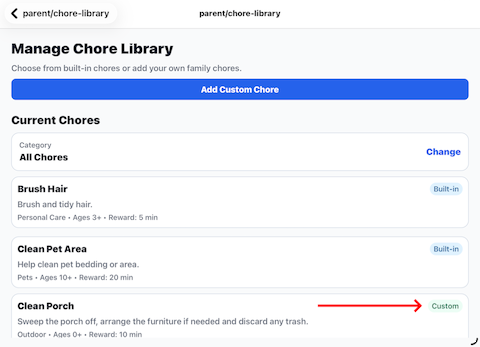
Custom chores allow you to create chores that aren't included in the built-in Barnacle Bucks library.
Custom chores are available only to members of your family.
To create a custom chore
- Open Manage Chore Library.
- Tap Add Custom Chore.
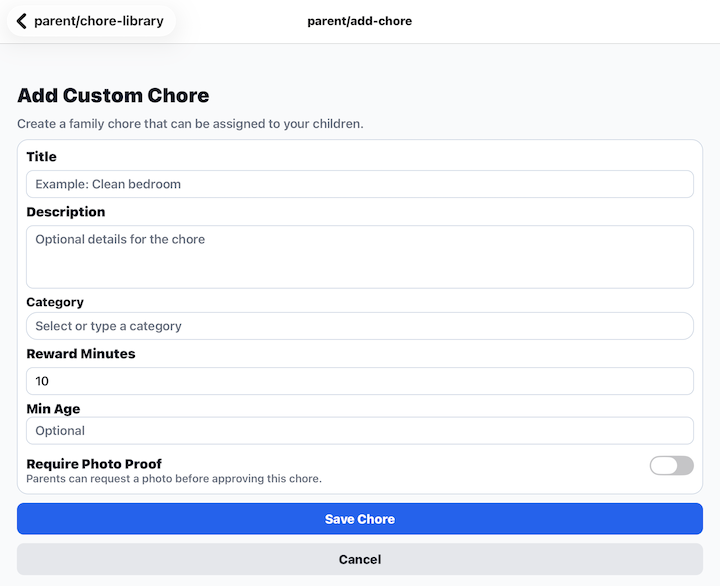
- Enter the chore title.
- Enter an optional description.
- Select the category.
- Enter the default reward in minutes.
- Choose the optional minimum recommended age.
- Choose whether the chore requires photo proof.
- Tap Save Chore.
The new chore is immediately added to your family's chore library and can be assigned to children just like any built-in chore.
Notes
- Custom chores are only visible to your family.
- You can edit or update custom chores later if needed.
- Built-in Barnacle Bucks chores cannot be modified.