Invite Adult
The Invite Adult screen allows you to invite another trusted adult to help manage your family's Barnacle Bucks account.
You can invite a spouse, grandparent, caregiver, or another trusted adult to assist with managing chores, approving completed chores, and helping supervise your family.
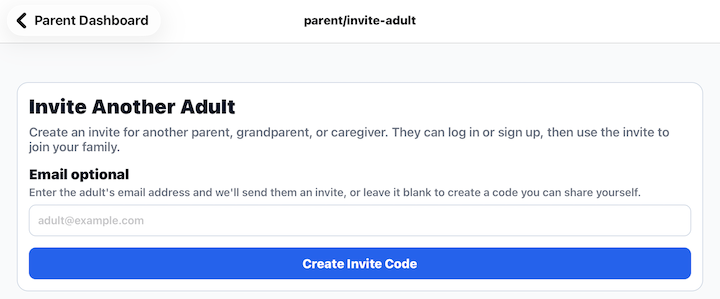
Sending an Invitation
You can invite an adult in one of two ways.
Email Invitation
Enter the person's email address and tap Create Invite Code.
Barnacle Bucks will create an invitation that can be sent to that email address.
Invite Code
If you leave the email address blank and tap Create Invite Code, Barnacle Bucks creates an invitation code that you can share yourself.
The invited adult can enter this code after creating or signing into their own Barnacle Bucks account.
What Happens Next?
Once the invitation is accepted, the adult becomes a member of your family.
They will be able to:
- View your family's children.
- Review and approve chores.
- Help manage your family's activities.
- Access features based on the permissions you grant.
The Family Owner can remove an adult's access at any time from Manage Family Members.
Tips
- Only invite adults you trust to help manage your family.
- If you don't know the person's email address, simply create an invite code and share it however you prefer.
- Invitations are intended for adults only. Children should use a Child PIN to access Barnacle Bucks.