Join a Family
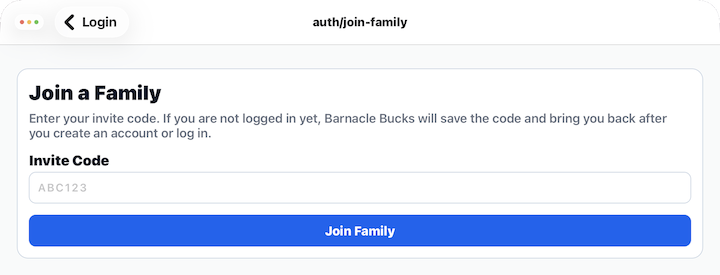
If someone has invited you to join their Barnacle Bucks family, you'll use this screen to enter the invitation code they provided.
After the invitation is accepted, you'll become a member of that family and can begin using Barnacle Bucks with the permissions granted to your account.
Enter an Invitation Code
Type the invitation code exactly as it was provided to you.
Barnacle Bucks automatically ignores uppercase and lowercase letters, so you don't need to worry about capitalization.
Join Family
After entering a valid invitation code, tap Join Family.
If you are already signed in, the invitation is accepted immediately.
If you don't already have a Barnacle Bucks account, you'll be prompted to create your own login. If you already have an account, simply sign in.
Barnacle Bucks remembers your invitation code, so after creating your account or signing in, you'll automatically return to complete the invitation without needing to enter the code again.
Tips
- Invitation codes expire after a period of time. If your code no longer works, ask the family organizer to send a new invitation.
- Double-check the code for typing mistakes before trying again.
- At this time, each adult login is connected to one primary family in Barnacle Bucks. If you need to join a different family, you may need to sign out or use a different login.