Choose User
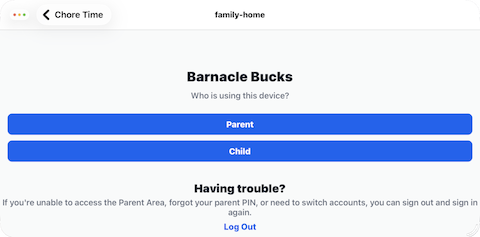
The Choose User screen asks who is using the device. You will come to this screen every time you change users. It is part of the security.
Choose Parent if an adult is using the app.
Choose Child if a child is using the app.
Parent
Tap Parent to open the Parent Dashboard.
The Parent Dashboard is where parents manage chores, approve completed work, review screen time, and manage family settings.
Child
Tap Child to open the child PIN login screen.
From there, the child selects their profile and enters their personal PIN before using Barnacle Bucks.
Next step
Choose Parent to continue to the Parent Dashboard, or choose Child to continue to child login.