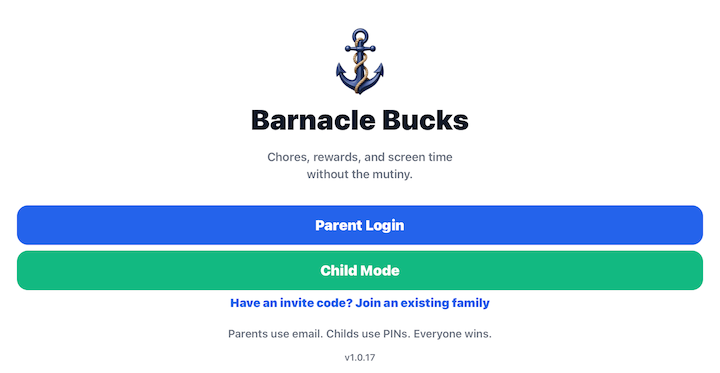
Welcome to Barnacle Bucks
Welcome to Barnacle Bucks!
Barnacle Bucks helps families encourage responsibility by allowing children to earn screen time through completing chores and other household responsibilities. Instead of simply giving screen time, parents can reward effort, consistency, and good habits.
Barnacle Bucks is designed to be flexible. Every family is different, so you decide which chores are available, how many minutes each chore is worth, and when screen time is earned.
How Barnacle Bucks Works
Using Barnacle Bucks is simple:
- Parents create or assign chores to one or more children.
- Children complete their chores and submit them for approval. Some chores may require a photo as proof of completion.
- Parents review completed chores and approve or reject them.
- Approved chores award screen time to the child.
- Children redeem their earned minutes whenever they are ready for screen time.
Parents remain in complete control of approvals, rewards, and family settings.
Parent Device vs. Child Device
Barnacle Bucks can be used on one device or several devices. Both android and ios devices are supported.
Parent Device
The Parent Device is used by parents or caregivers to:
- Create and manage chores
- Approve completed chores
- Award screen time
- Manage children
- Invite additional adults
- Configure family settings
- View activity and notifications
Every family has to have at least one Parent Device.
Child Device
A Child Device is an optional phone or tablet used by children.
Children can:
- View their assigned chores
- Complete chores
- Submit photo proof when required
- Check their available screen time
- Redeem earned minutes
A family may have one shared Child Device or a separate device for each child.
You do not need to set up a Child Device immediately. We recommend completing your family setup first.
Family Accounts
Each Barnacle Bucks account represents one family.
The person who creates the account becomes the Family Owner. The Family Owner can invite other adults—such as a spouse, grandparent, or caregiver—to help manage the family.
All invited adults have access to the same children, chores, approvals, and family information based on their assigned permissions.
Before You Begin
To get the most out of Barnacle Bucks, we recommend completing these setup steps in order:
- Install Barnacle Bucks.
- Create your family account.
- Verify your email address.
- Add your children.
- Set up Parent Authentication.
- Create a PIN for each child.
- Review the Chore Library.
- Create any custom chores your family needs.
- Assign chores to your children.
- Set up a Child Device if your children will be using their own phone or tablet.
Once these steps are complete, your family is ready to begin earning Barnacle Bucks and turning completed chores into screen time.
Welcome aboard—we're excited to have your family with us!